Import your trades
and get coached in minutes
TradeReflect connects directly to your Webull order history — or you can enter trades manually. No screenshots, no hassle. Import and get coached.
Built for stock day traders. Futures and options are on the roadmap.
Get your trades into TradeReflect
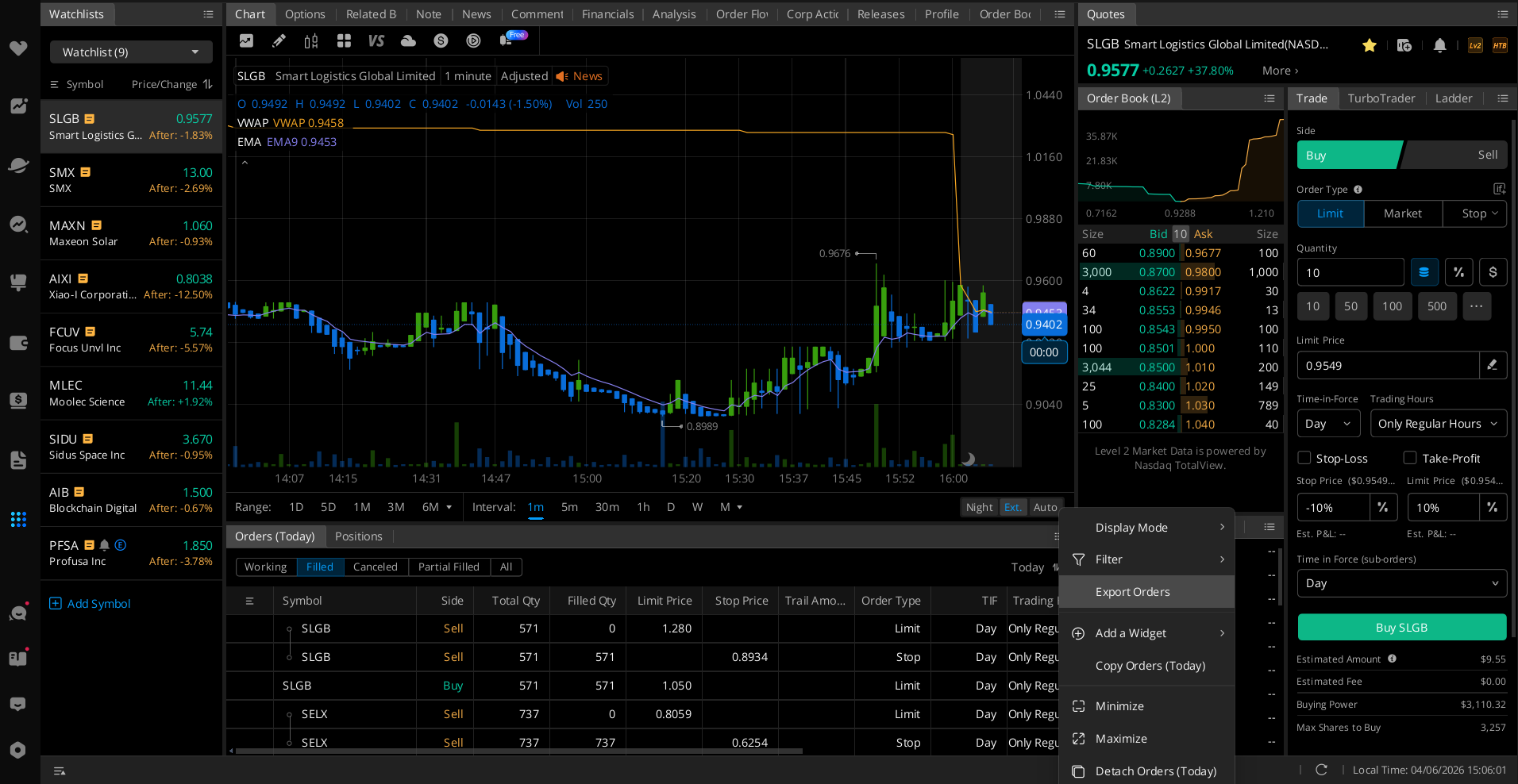
Using Webull? Go to your Orders panel, click the Filled tab, click ··· top right, then select Export Orders. Upload the CSV to TradeReflect and you're done.
Using a different broker? You can manually enter your trades on the import page, or request your broker — brokers are prioritized by number of requests, so the more traders who ask, the faster it gets built.
- Click Filled tab (not Working or Cancelled)
- Click ··· menu top right of orders panel
- Select Export Orders
- Webull exports your full YTD history
- Don't use Webull? Enter trades manually
- More brokers added based on requests
Import into TradeReflect
Upload the CSV to TradeReflect. We automatically parse every order — matching buys to sells, detecting your stop loss and take profit levels from cancelled orders, and handling partial fills. You'll see a preview of every trade before saving.
Get AI coaching on every trade
For each trade placed today, TradeReflect fetches the real chart data from the exact time of your entry and runs it through an AI coach trained on your specific trading rules. You get a score, a verdict, and specific feedback on what you did well and what to fix.
Build your journal over time
Every day's trades are stored in your journal with coaching notes, stats, and your own written reflections. Over time you'll see your real patterns — which setups work, which don't, and exactly what your rule breaks are costing you each month.
Ready to know why you lost?
Start for free. Import your first trades in under 2 minutes. No credit card required.